Passer au contenu principal

Setting up notifications

You’ll need a channel to send notifications in and a role for Caelus to mention. Once you have both, it’s time to use /configure notifications! When setting up notifications, you may choose an offset. For example, choosing an offset of 5 minutes means you will get notifications about the polluted geyser erupting 5 minutes prior to it occurring.

What notifications are available?

  • Daily reset
  • Eye of Eden
  • International Space Station
  • Dragon
  • Polluted geyser
  • Grandma
  • Turtle
  • Shard eruption (regular)
  • Shard eruption (strong)
  • AURORA
  • Passage
  • Aviary’s Firework Festival
  • Travelling spirit
  • Dreams skater
  • Nesting Workshop
  • Meteor shower
  • Maintenance
  • Events
  • Radiance event
  • Seasons
  • Double hearts
  • Double seasonal light
  • Double treasure candles

What will it look like?

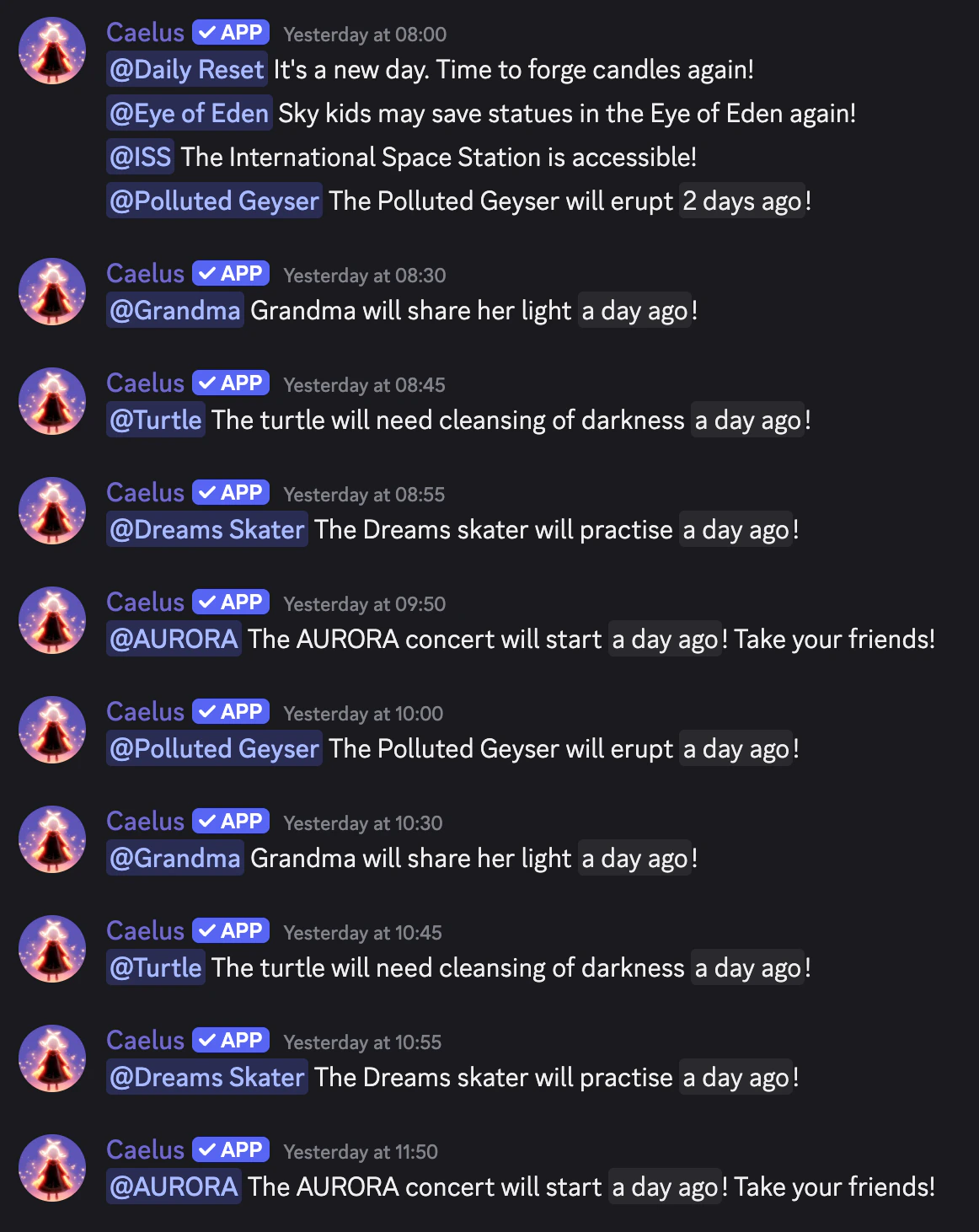
When you first set up notifications, you may wonder what they look like, since it’s likely not going to happen immediately. Check this out: Notifications example As you can see, roles are mentioned when events occur with respect to the offset. Pretty nice!
Dernière modification le 5 juin 2026