> ## Documentation Index
> Fetch the complete documentation index at: https://guide.thatskyapplication.com/llms.txt
> Use this file to discover all available pages before exploring further.
# Notifications
> Configure notifications for Sky events in your server!
`Manage Server`
* `Send Messages`
* `View Channel`
* `Mention @everyone, @here and All Roles` or the role being mentionable by anyone
## Setting up notifications
You'll need a channel to send notifications in and a role for Caelus to mention. Once you have both, it's time to use `/configure notifications`!
When setting up notifications, you may choose an offset. For example, choosing an offset of 5 minutes means you will get notifications about the polluted geyser erupting 5 minutes prior to it occurring.
## What notifications are available?
* Daily reset
* Eye of Eden
* International Space Station
* Dragon
* Polluted geyser
* Grandma
* Turtle
* Shard eruption (regular)
* Shard eruption (strong)
* AURORA
* Passage
* Aviary's Firework Festival
* Travelling spirit
* Dreams skater
* Nesting Workshop
* Meteor shower
* Maintenance
* Events
* Radiance event
* Seasons
* Double hearts
* Double seasonal light
* Double treasure candles
## What will it look like?
When you first set up notifications, you may wonder what they look like, since it's likely not going to happen immediately. Check this out:
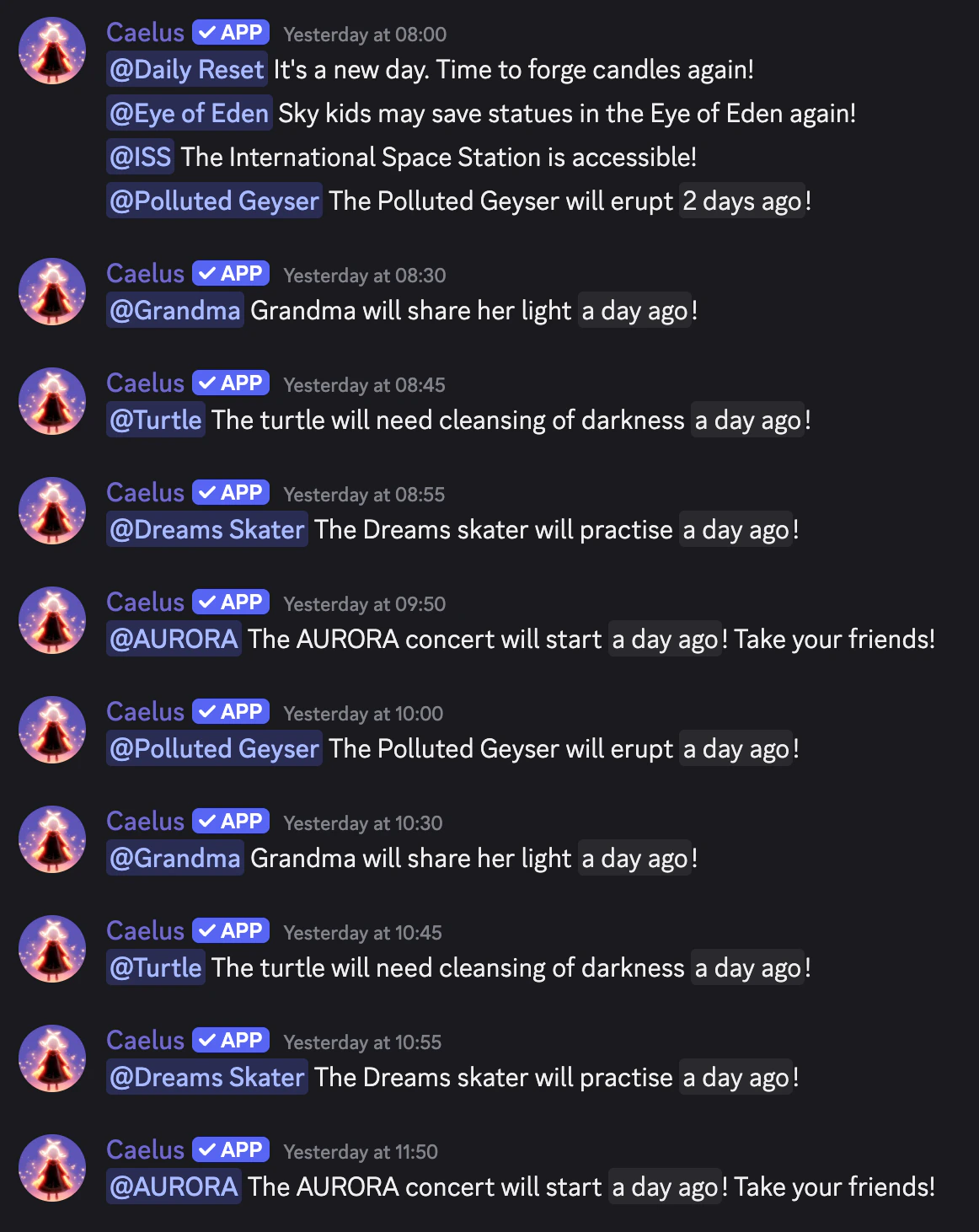 As you can see, roles are mentioned when events occur with respect to the offset. Pretty nice!